
Back to Customer returns guide | Previous: Submit a return request | Next: Reviewing inspection results and costs
‘On-inspection’ means the brand, repair team, or service partner is assessing the returned product and the information submitted with it.
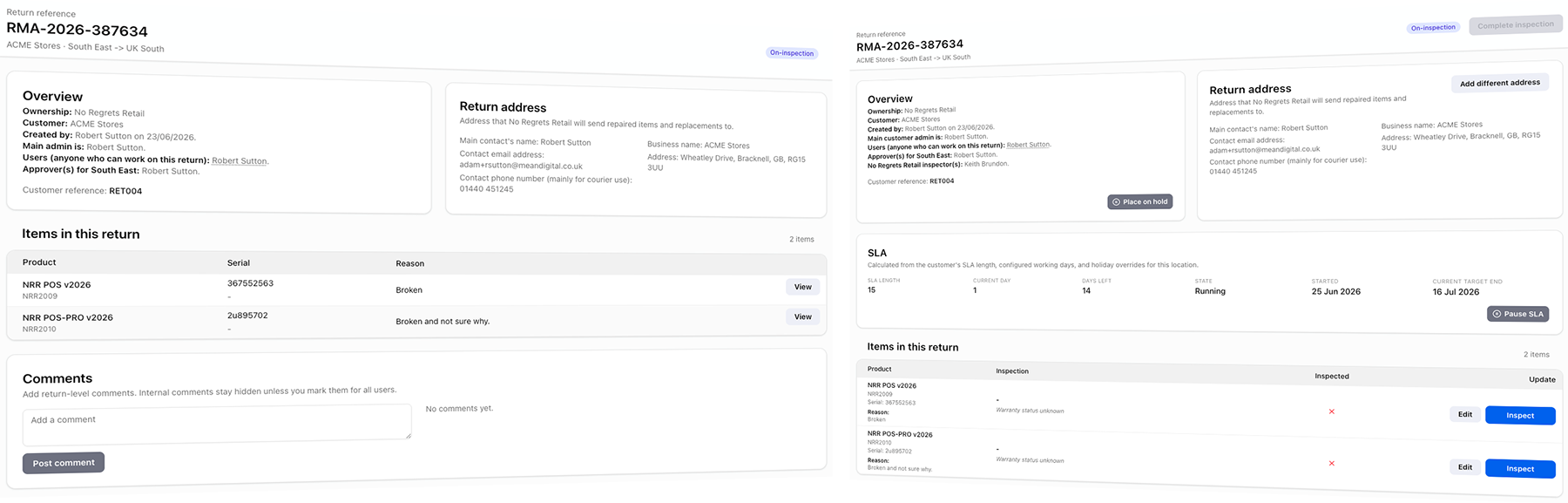
This shows your (the customer user) view of the return page and the brand’s view. They’re similar, but the work is now with them, so as a customer, you have nothing to do right now - unlike the brand.
What the inspection team checks
The inspection team may check the product identity, condition, reported fault, supplied evidence, warranty or return eligibility, and the likely repair or replacement route.
Depending on the product and process, this may include hands-on inspection, diagnostic testing, third-party assessment, or internal approval before the next status.
Why there may be fewer visible updates
Some inspection and pricing steps are internal. TrackQUAL shows customers a simplified progress view, so you can remain in ‘On-inspection’ status while the brand completes several operational tasks in the background.
This is normal. It helps avoid exposing internal steps that do not require customer action and can cause confusion.
What you should do
Keep an eye on email notifications and your returns list. If the brand asks for more information, photos, documents, or clarification, respond promptly.
If no action is requested from you, the best next step is to wait for the inspection results or cost decision to become available.
If you have questions, you can add comments to a return once it’s submitted.
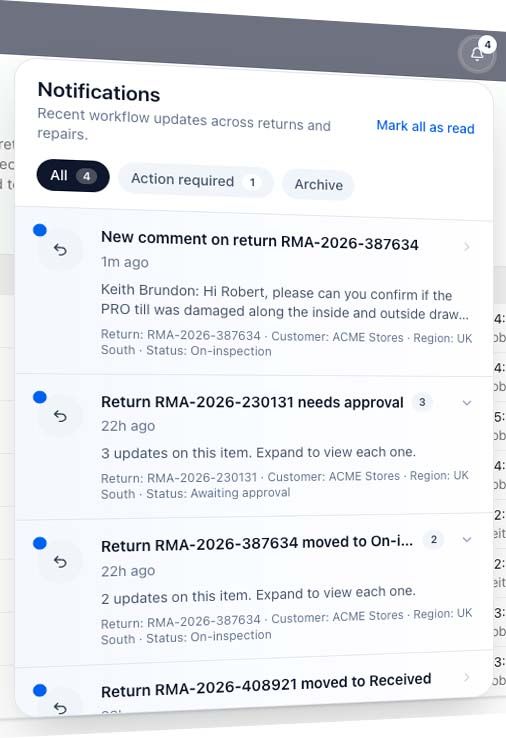
Comments from both sides will appear as notifications in your app.
Navigation
Back to Customer returns guide | Previous: Submit a return request | Next: Reviewing inspection results and costs